.ts 파일을 컴파일하기 위해 tsc 명령어를 실행했는데 아래 문제가 발생했다.
                This is not the tsc command you are looking for


To get access to the TypeScript compiler, tsc, from the command line either:

- Use npm install typescript to first add TypeScript to your project before using npx
- Use yarn to avoid accidentally running code from un-installed packages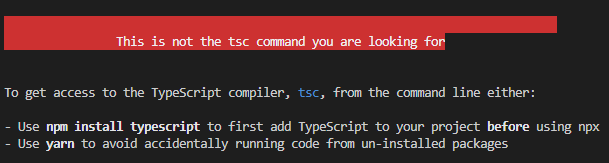
해당 문제는 stakoverflow에서 원인과 해결책을 찾을 수 있었다.
https://stackoverflow.com/questions/67677320/this-is-not-the-tsc-command-you-are-looking-for
This is not the tsc command you are looking for
When I run tsc in the terminal (it does not matter where) I get returned: $ npx tsc --version This is not the tsc command you are looking for To get access to the TypeScript compil...
stackoverflow.com
원인
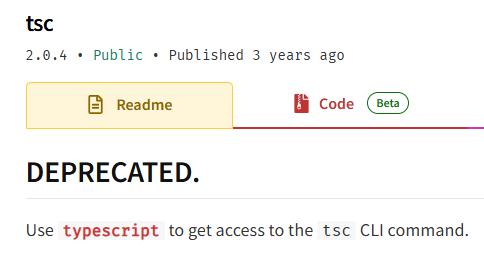
문제는 tsc를 install했기 때문이다. 현재 tsc는 deprecated 되었고, typescript를 install 해야 한다.
해결 방법
나는 tsc를 global로 다운로드 했기 때문에 아래 명령어로 uninstall 했다.
npm uninstall -g tsc
이후 typescript를 install 했다.
npm install -g typescript