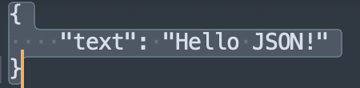
Sublime Text의 Pretty JSON을 사용하고 싶어서 Package Control을 다운로드하려는데, 여타 블로그 설명과 달리 검색해도 내용이 나오지 않는 문제가 있었다.
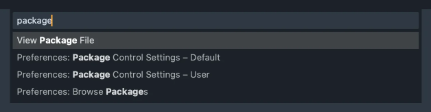
Reddit에 동일한 문제에 대한 글이 있었다.
From the SublimeText community on Reddit
Explore this post and more from the SublimeText community
www.reddit.com
해당 글의 댓글을 통해 문제를 해결할 수 있었다.
https://github.com/wbond/package_control/issues/1612
[ST3/4] Package Control not working on macOS · Issue #1612 · wbond/package_control
I tried instaling the Package Control via Command Palette and even manually but it was not working, after some debugging I found that the ctypes file for python3.3 are not being correctly loaded Th...
github.com
해결 방법
방법은 Console로 직접 Package Control을 다운로드하는 것이다.
Sublime text의 Console(View -> View Console)을 연 후, 아래 명령어를 복사, 붙여 넣기 하면 된다.
from urllib.request import urlretrieve;urlretrieve(url="https://github.com/wbond/package_control/releases/latest/download/Package.Control.sublime-package", filename=sublime.installed_packages_path() + '/Package Control.sublime-package')
이후 Sublime text를 다시 시작하면 정상적으로 검색 결과가 나온다.
단축키 설정
이제 pretty Json 형태로 빠르게 변환할 수 있도록 단축키를 설정해 보자.
1. Settings... -> Key Bindings를 선택한다.
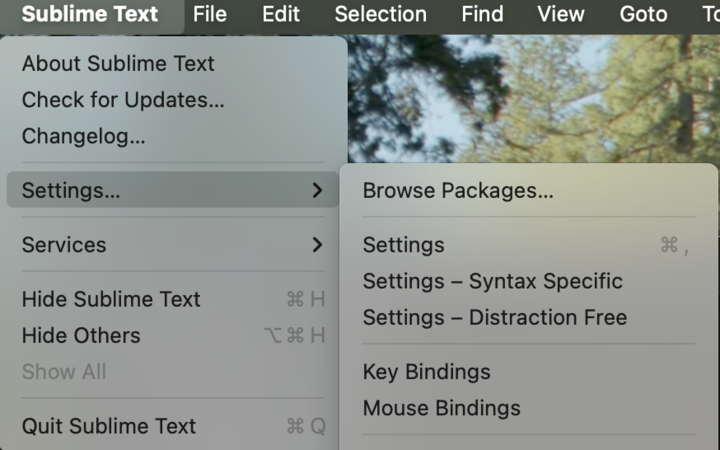
2. 아래 코드를 이미지와 같이 작성한다.
command + shift + j를 단축키로 지정하겠다는 의미이다.
[
	{"keys": ["command+shift+j"], "command":"pretty_json"}
]
3. 사용법
아래와 같이 JSON 형태로 변환하고자 하는 내용을 드래그(or command + a) 한 후 command+shift+j를 누른다.

아래와 같이 pretty JSON 형태가 된다.